PricingLog inOpen eonikGet eonikDownload

How to use eonik

Remake an ad you saved

You saved an ad that works. How to remake it as your own, keeping what makes it work and nothing that is theirs.

Abinash SenapatiFounder, eonikUpdated Oct 26, 2026

The short answerSave the ad to your brand’s moodboard from Chrome or your phone, or from Research. Every saved ad carries Recreate this ad: eonik keeps its shots, its cuts and its timing, and you swap in your product, your people or your language. Versions are free; nothing is generated until you say so.

Before you start
  • An ad you saved
  • Pictures of your product
  • Credits for what is generated: each price is shown before you make it
On this page
Save the ad you likeChoose Recreate this adSwap in what is yoursMake it, then every sizeQuestions
For Ondera ⌃Unboxing, remadeNew chat 2,400 Validate Export
StoryboardTimelineUnboxing, remadeFrom Northloop’s ad · your Arc 01ScriptFrames3Clips
Northloop's frame, with a white sneakerThe same frame, with the Arc 01TheirsOurs
0:00 · 4 sHe lifts the lid: the shoe in the box.Same timing.
Northloop's frame, with a white sneakerThe same frame, with the Arc 01TheirsOurs
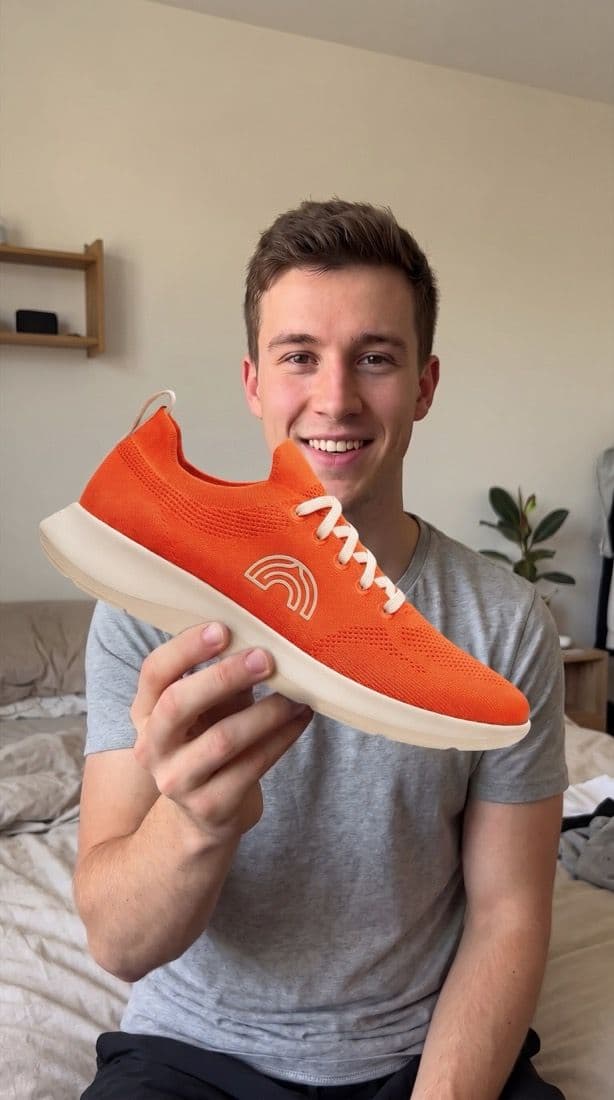
0:04 · 4 sHeld up to the camera, grinning.Same timing.
Northloop's frame, with a white sneakerThe same frame, with the Arc 01TheirsOurs
0:08 · 4 sFirst steps out of the door.Same timing.
Drag across a frame: theirs, then yours588 credits
New chat ×
eonik is ready
Loaded for this conversation: Ondera · Northloop’s ad attached
Ask eonik to edit, research, or produce…
Opened Unboxing, remade
Recreate an ad
+
Same film, our Arc 01.
Veo 3.1 ⌄9:16 ⌄720p ⌄588 credits

Step 1Save the ad you like

Save it from Meta, TikTok, Instagram or YouTube with the eonik companion app for Chrome or for Android, or from Research. It lands on your brand’s moodboard, with the ad itself kept.

Step 2Choose Recreate this ad

Every saved ad carries Recreate this ad. eonik keeps its shots, its cuts and its timing as the plan for your ad.

Step 3Swap in what is yours

Put in your product, your people or your language. Make other versions too (another language, a new opening, someone else in it), for free: nothing is generated until you say so.

Step 4Make it, then every size

When the plan is right, let eonik make it. Then choose Resize for every size your plan asks for, and share the set for review.

The work itself

For anyone making ads, with or without eonik: How to remake an ad that works.

Questions

Does a remake copy the other brand’s ad?

It keeps the structure (the shots, the cuts and the timing) and swaps in your product, your people or your language. Use your own footage, words and brand; never their footage, music or lines.

Where do saved ads come from?

From the eonik companion apps for Chrome and Android, which save an ad you see on Meta, TikTok, Instagram or YouTube to your brand’s moodboard, and from Research inside eonik.

Do versions cost anything?

Versions are free to set up. Nothing is generated until you say so, and you see the price on the button first.

Next

Get it approved, then exportHow to use eonikHow to remake an ad that worksLearnSave ads from Meta’s Ad Libraryeonik
On this pageSave the ad you likeChoose Recreate this adSwap in what is yoursMake it, then every sizeQuestions

Make your next ad in eonik.

eonik is already on this Mac. Download again

eonik runs on your Mac. Free to start. No card.

Download for Mac

Free to start. No card.Made for Mac. A Windows app is being built.eonik is made for Mac. Free to start. No card.

Product

Download for MacPricingMade in eonikWhat’s new

Use eonik

How to use eonikConnect your assistantCompanion appsAd library

Read

LearnBlogGlossaryCompare

Company

AboutWho it’s forLog inconnect@eonik.ai
© 2026 eonikPrivacyTermsThe Ad Gene communityLinkedInXInstagramTikTok